Solution Recipes are tutorials to achieve specific objectives in Klaviyo. They can also help you master Klaviyo, learn new third-party technologies, and come up with creative ideas. They are written mainly for developers & technically-advanced users.
Note: We do our best to make sure any code and API references are accurate and current when this is published, but you might need to update code and it’s always a best practice to leverage our l atest API versions . If you have questions, feel free to hop over to our Developer Community .
How to ask your subscribes for an “unsubscribe reason” when they opt-out from your emails
We often assume customers unsubscribe and opt out of emails simply because they are no longer interested in our brand. However this is not always the case, and the best time to ask someone is when they unsubscribing. This will help you improve your communication strategy and reduce your unsubscribe rate.
Intermediate
Prerequisite
In order to implement this solution recipe, you will need to be utilizing Klaviyo’s Hosted Pages feature for your accounts unsubscribe page.
Related Read: Solution Recipe 8: How to create a custom multilingual unsubscribe and preference page in Klaviyo
The Hosted Pages feature allows us to customise all of the code on the unsubscribe page. We can add our own HTML, CSS and most importantly for this solution recipe — Javascript.
Ingredients
- Intermediate HTML and CSS formatting experience
- A basic knowledge of the Django templating language
- A working knowledge of the Klaviyo /track API
- A heaped tablespoon of Javascript
Solution Design
There are a few moving parts to this solution recipe which are illustrated below.
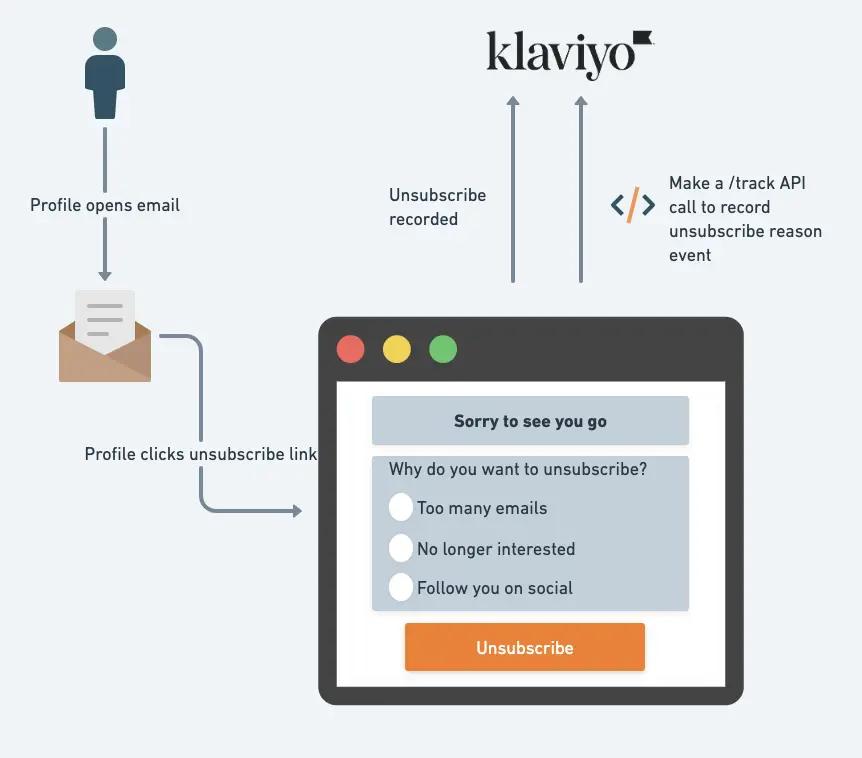
At a high level the following steps occur:
- A user profile receives an email from Klaviyo, opens it and clicks on the “unsubscribe” link.
- This user is then directed to a custom Klaviyo Hosted Unsubscribe page.
- The user selects an unsubscribe reason from the form before submitting their unsubscribe request.
- Upon submitting the unsubscribe request, an AJAX call is made to send an event to Klaviyo’s track API with the reason the user unsubscribed. The unsubscribe is also recorded separately as part of Klaviyo’s Hosted Page logic.
Once the unsubscribe reason events are recorded in Klaviyo, these can then be reported on using custom reports or segments in Klaviyo.
This is what the final unsubscribe page we are going to build will look like.
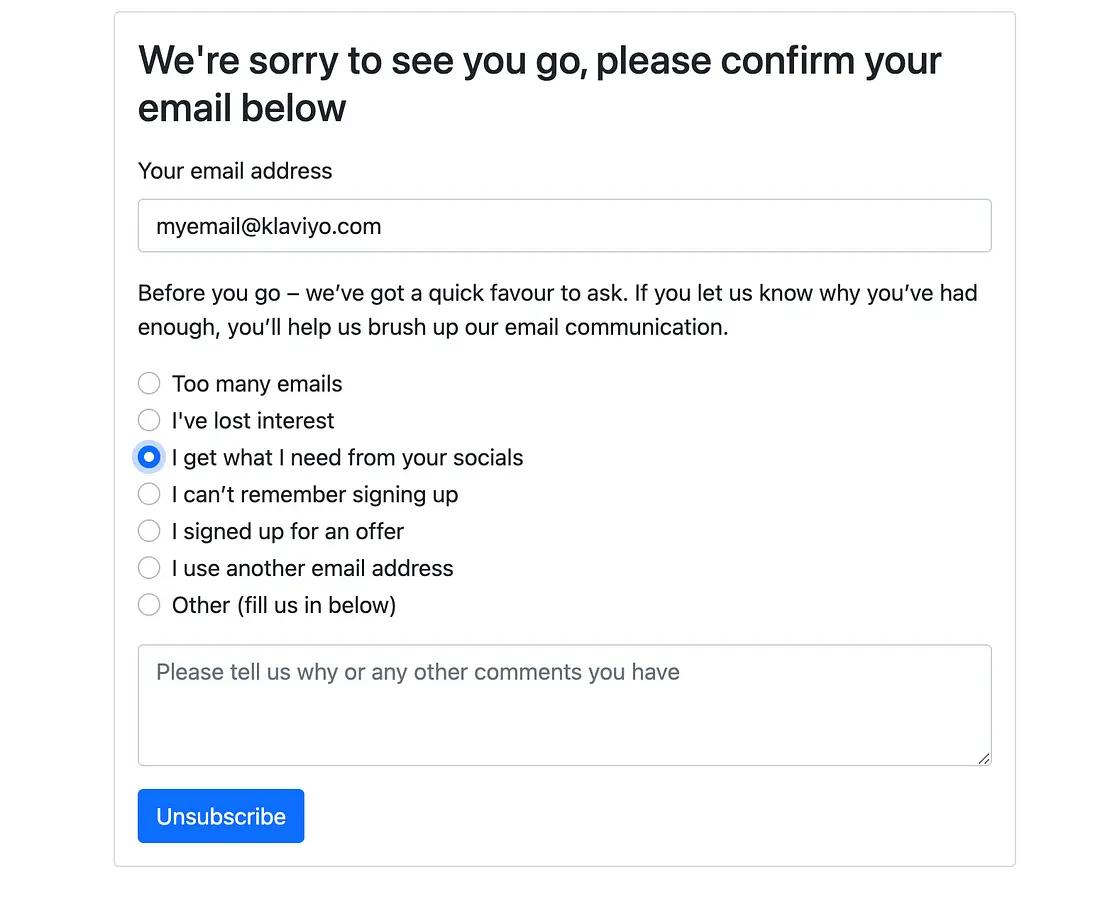
You are free to modify the look, feel and options as you wish. This is simply a template for you to get started with.
Instructions
Step 1: Enable Hosted Pages in your Klaviyo account
If you have not already, you will need to enable the Hosted Pages feature in your Klaviyo account.
Step 2: Create an unsubscribe page
For this example, we are going to use a standard boilerplate unsubscribe page. You are free to customise the look and feel of this page as you wish.